A lovely activity to use with groups of learners who are developing basic IT skills. This lesson focusses on the basic features of PowerPoint. The topic for this lesson is 'endangered animals' which is something that can start interesting discussions about the environment and sustainability as well as eliciting vocabulary for animals if working with ESOL learners.
Editor's note
Level
Entry Level 1
Entry Level 2
English
FE READING understanding and locating information
FE E2.7 Read correctly words designated for Entry Level 2
ESOL
ESOL Rw/E2.2a Recognise a range of familiar words
ESOL Rw/E2.3a Use context & range of phonic / graphic knowledge to decode words
ESOL Rw/E3.1a Recognise and understand relevant specialist key words
ICT
Entry 1 and 2 ICT
Functional Skills ICT: Using ICT
Functional Skills ICT: Developing, presenting and communicating information
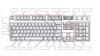
This is a fun activity which encourages kinaesthetic learning and builds learner confidence in engaging with technology as well as using IT vocabulary. Learners are invited to share their experience of different types of international keyboards and use the interactive white board to annotate a QWERTY keyboard.
Editor's note
Level
Entry Level 1
Entry Level 2
ESOL
ESOL Sc/E1.4a Make simple statements of fact
ESOL Sc/E1.4d Make statements of fact clearly
ESOL Sc/E2.3a Express statements of fact
ESOL Sc/E2.3d Give an explanation
ESOL Ww/E1.1a Use and spell correctly some personal key words and familiar words
ESOL Ww/E2.1a Spell correctly majority of personal details & familiar common words
This is a fun activity which encourages learners to use IT vocabulary to identify common devices, emojis and icons. It includes a link to an on-screen Wordwall activity where they can test what they already know about devices and common computing icons.
Editor's note
Level
M8
Entry Level 1
Entry Level 2
English
FE E2.12 Use illustrations, images & captions to locate information
Pre-entry
pre-Entry Rw/M8.3 Recognise & read a growing no. of words signs symbols
ESOL
ESOL Rw/E1.1a Recognise a limited number of words, signs and symbols
This resource covers what is expected at the Entry 1 ICT Functional Skills exam. It follows the structure of an exam paper. An E2 version is also available.
I based in it on a Skillsworkshop English resource by Isabel Jordan.
Editor's note
Super practice for Entry Level 1 ICT. I love it when skillsworkshop users adapt and recycle existing resources. :) You can find the E2 version of this resource, along with Isabel Jordan's original Pavement Plants Functional English resources under "See Also".
Level
Entry Level 1
ICT
Entry 1 and 2 ICT
Functional Skills ICT: Using ICT
Functional Skills ICT: Finding and selecting information
Functional Skills ICT: Developing, presenting and communicating information
This resource covers what is expected at the Entry 2 ICT Functional Skills exam. It follows the structure of an exam paper. An E1 version is also available.
I based in it on a Skillsworkshop English resource by Isabel Jordan.
Editor's note
Super practice for Entry Level 2 ICT. I love it when skillsworkshop users adapt and recycle existing resources. :) You can find the E1 version of this resource, along with Isabel Jordan's original Pavement Plants Functional English resources under "See Also".
Level
Entry Level 2
ICT
Entry 1 and 2 ICT
Functional Skills ICT: Using ICT
Functional Skills ICT: Finding and selecting information
Functional Skills ICT: Developing, presenting and communicating information
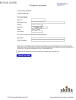
Simulations of email and online banking registration forms. Can be used in succession, as for the banking registration form you need an email address. When you press the “create account” button it will open the printing menu. Good luck!
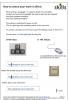
Useful 1 page handout. Very simple instructions on how to correct a mistake made when typing in Microsoft Word. First used with residents at a clinic who have learning difficulties but ideal for any beginner.
Level
Entry Level 2
ICT
Functional Skills ICT: Developing, presenting and communicating information
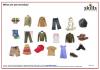
Set of interactive and paper based activities based on buying and describing clothes. The on-screen activities (match words and pictures, drag and drop sentences, cloze activitiy, crossword) make a good group activity on an interactive whiteboard and can be extended and consolidated using the dialogue prompts, vocabulary cards and other activities in the PDF document.
Set of interactive activities based on living room furniture. Would make a good group activity on an interactive whiteboard or use on individual computers
To run, unzip the file (select “Extract all files”) into a new folder and click on hot potatoes living room to run. You may be asked by your web browser if you wish to allow ActviveX components – select “Yes, allow blocked content”.